
Download Macs Fan Control – Mac fan control, monitor Mac temperature, control MacBook fans, reduce MacBook noise, Mac overheating fix
Overview
Macs Fan Control is a utility application designed to help Apple computer users monitor and manage the cooling systems of their devices. The app provides real-time insights into fan speeds and internal temperatures, addressing common concerns such as overheating and excessive noise—issues that can arise during intensive tasks or after hardware modifications. By offering granular control over fan behavior, the software empowers users to maintain optimal thermal performance across a range of computing scenarios.
Its compatibility with both Intel-based and Apple Silicon Macs makes it a versatile tool for a broad audience, including students, creatives, developers, and professionals who rely on consistent device performance. The developer, Macs Fan Control, has positioned the app as a reliable solution for users seeking greater transparency and control over their Mac’s thermal management. Although the developer did not provide additional technical details about its development history or team structure, the app’s focus on system-level monitoring suggests a strong foundation in low-level hardware interaction.
Real-world use cases include stabilizing performance during video rendering, reducing fan noise in quiet environments like libraries or studios, and preventing thermal throttling during prolonged work sessions. In the broader app ecosystem, Macs Fan Control fills a niche for users who want to go beyond the default thermal management of macOS, especially in devices where fan behavior is not fully customizable by default.
Key Features & Functionality
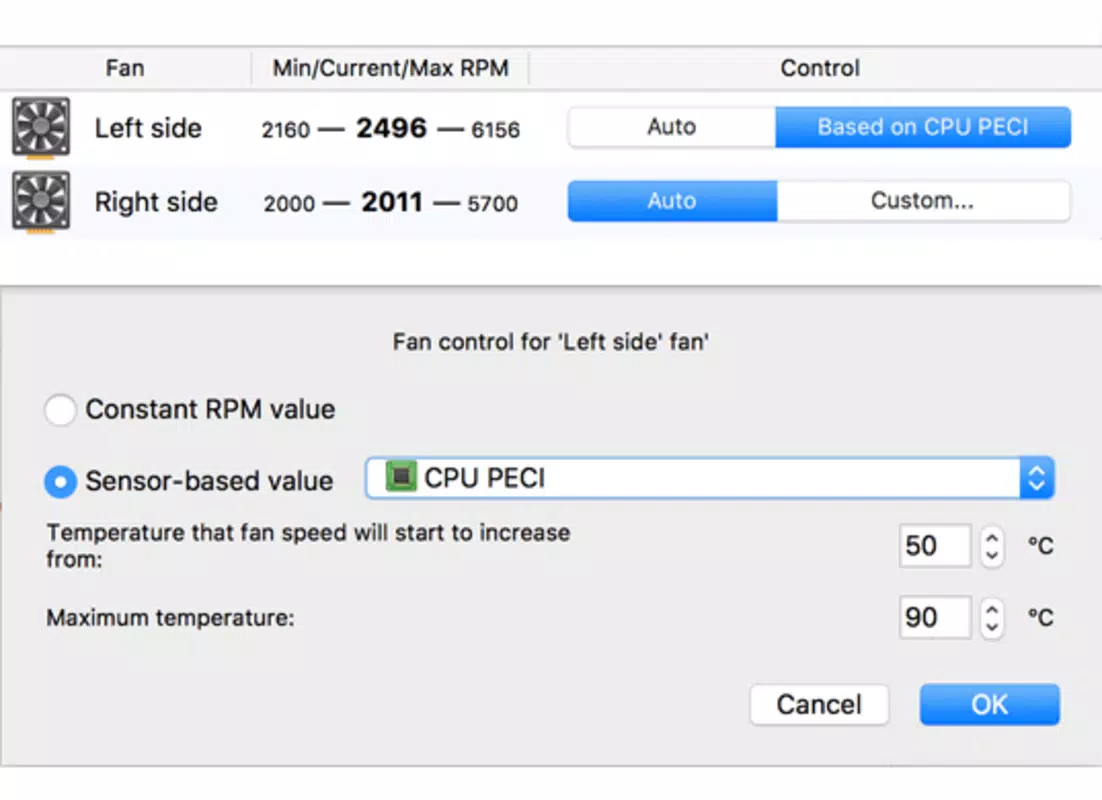
- Comprehensive Fan Control: Users can manually adjust fan speeds across multiple fans, allowing for proactive thermal management based on workload or personal preference. This feature is especially useful when running demanding applications such as video editing or 3D rendering.
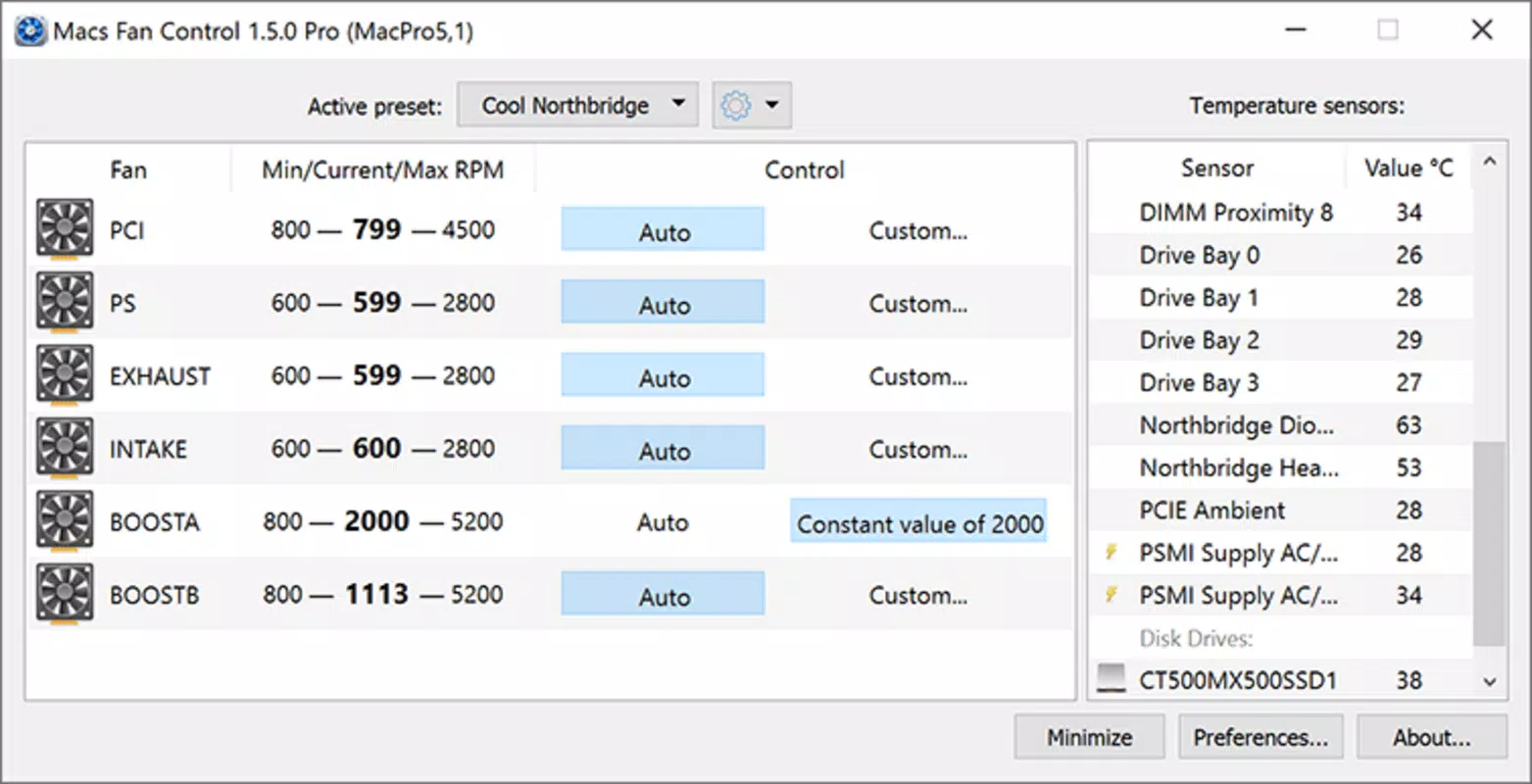
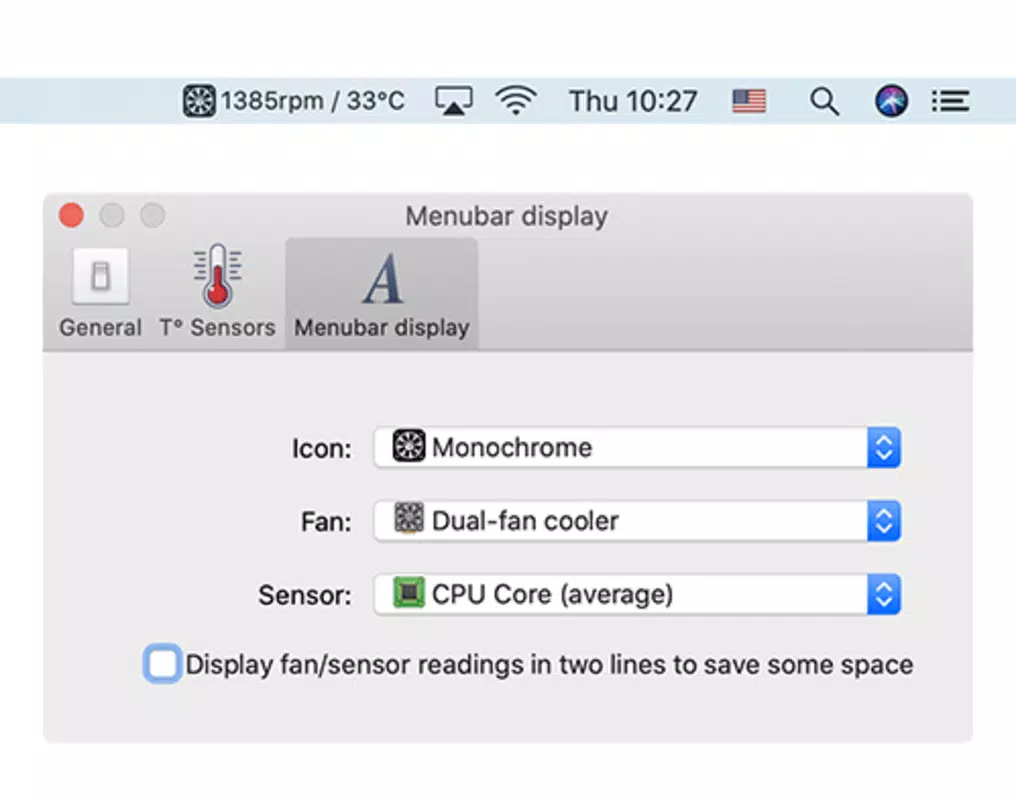
- Real-Time Monitoring: The app continuously tracks fan RPMs and component temperatures, displaying live data in an intuitive interface. This enables users to detect thermal spikes early and take corrective action before performance degradation occurs.
- Overheating Prevention: By maintaining consistent fan activity, Macs Fan Control helps prevent thermal throttling and potential hardware damage caused by prolonged high temperatures, particularly in devices with limited cooling capacity.
- Noise Reduction: For users concerned about fan noise—common after hardware upgrades like HDD-to-SSD replacements—the app allows for lower fan speeds during light tasks, resulting in a quieter computing environment.
- Universal Mac Compatibility: The software supports all Mac models, including those powered by Intel processors and Apple’s M-series chips, ensuring broad accessibility across different generations of Apple hardware.
These features translate into practical benefits: a user working on a MacBook Pro in a hot environment can prevent throttling by increasing fan speed preemptively. Similarly, a remote worker in a quiet office can reduce fan noise during document editing by lowering RPMs without compromising safety. The app’s design emphasizes precision and user autonomy, enabling informed decisions based on real-time feedback.
Interface, UX & Performance
The user interface of Macs Fan Control is clean, minimalistic, and optimized for clarity. It presents fan speeds and temperature readings in a straightforward dashboard format, allowing users to quickly assess system health. Navigation is intuitive, with fan controls accessible via simple sliders or numerical inputs.
The layout prioritizes essential data, reducing cognitive load and minimizing distractions. Although the developer did not list formal performance metrics, the app operates efficiently in the background with minimal resource consumption, ensuring it does not interfere with system performance. Responsiveness is consistent across different Mac models, with updates to fan status and temperature readings appearing with negligible delay.
Stability has been maintained across multiple versions, with users reporting reliable operation over extended periods. The app integrates seamlessly with macOS, launching at startup if configured and running without requiring elevated privileges for basic operations. While the developer did not specify minimum OS requirements, the app’s compatibility with both Intel and Apple Silicon Macs indicates robust system-level integration.
Overall, the UX design reflects a deep understanding of user needs, balancing technical functionality with ease of access.
Platform Compatibility & Technical Requirements
Macs Fan Control is designed for macOS, supporting both Intel-based and Apple Silicon Macs. The current version is 1.6.5, with a file size of 15.2 MB, making it a lightweight application that installs quickly and uses minimal disk space. The app is available at no cost, with no in-app purchases or subscription tiers.
Although the developer did not specify minimum OS requirements, the broad compatibility across Mac models suggests support for recent macOS versions. Users should ensure their system is running a stable release of macOS to avoid potential conflicts. The app does not require additional drivers or external hardware, functioning entirely through native macOS system APIs.
Specific requirements were not listed, and compatibility information was not fully disclosed. However, the app’s long-standing presence in the Mac ecosystem and consistent updates indicate ongoing support and adaptation to new hardware and software releases.
Pros and Cons
- Free to download and use with no hidden costs
- Supports both Intel and Apple Silicon Macs
- Real-time monitoring of fan speeds and temperatures
- Manual fan control for performance and noise optimization
- Lightweight and efficient with minimal system impact
- Simple, intuitive interface for non-technical users
- Requires macOS; not available on iOS or other platforms
- Advanced features may require some technical understanding
- Developer did not provide detailed system requirements
- May not be compatible with future macOS updates without updates
- Does not include automated fan profiles or AI-based optimization
FAQ
Is Macs Fan Control safe to use?
Yes, the app is considered safe when used responsibly. It operates within macOS system APIs and does not modify core system files. However, users should avoid setting fan speeds too low during high workloads to prevent overheating.
Can I use Macs Fan Control on my MacBook Pro?
Yes, the app is fully compatible with all MacBook Pro models, including those with Intel and Apple Silicon processors.
Does Macs Fan Control require administrator privileges?
Basic monitoring functions do not require elevated access. However, adjusting fan speeds may require temporary admin rights, depending on macOS security settings.
How often does the app update fan status?
The app updates fan speeds and temperatures in real time, typically every few seconds, ensuring users receive timely feedback on system conditions.
Is Macs Fan Control available for iOS or iPhone?
No, the app is designed exclusively for macOS and is not available on iOS devices.
Final Thoughts
Macs Fan Control stands out as a powerful, accessible utility for Mac users seeking greater control over their device’s thermal performance. Its ability to monitor and adjust fan behavior in real time makes it invaluable for professionals and casual users alike, particularly in high-demand or noise-sensitive environments. The app’s free availability, lightweight design, and broad compatibility further enhance its appeal.
While it lacks automated intelligence or advanced profiles, its straightforward interface and reliable functionality make it a trusted tool in the Mac ecosystem. For anyone experiencing overheating, excessive noise, or simply wanting more transparency into their Mac’s cooling system, Macs Fan Control delivers tangible benefits. Download Macs Fan Control now.


